Desktop Familiar
A downloadable tool for Windows
Hi! This is my first release, a small personal project I built to see whether anyone else finds it useful. It's rough around the edges, so bug reports and suggestions in the comments are very welcome.
A character you shape with your own prompt, living on your Windows desktop.
⚠ Bring your own API key. Works with most OpenAI-compatible LLM services (such as OpenRouter). Get a key from your provider first. It is not included with the app.
What it does
- You decide who they are. Personality and speaking style come from your prompt. Avatars and expressions can use your own artwork, and change with mood.
- They talk to you first. Every so often the character starts a conversation on their own (you set the time range).
- Memory and a daily schedule. Each character keeps their own long-term memory and remembers what you've told them. Every day they also generate a schedule of their own, so they have a life and a timeline.
- Speaks and listens. Voice output uses the built-in Windows voice by default, no key needed. You can also choose an OpenAI-compatible TTS API, ElevenLabs, or Fish Audio. Optional local speech recognition.
- Notices what you're doing. Reads your active window title and reacts naturally (optional, can be turned off at any time).
- Web search. Optional; requires your own Tavily key.
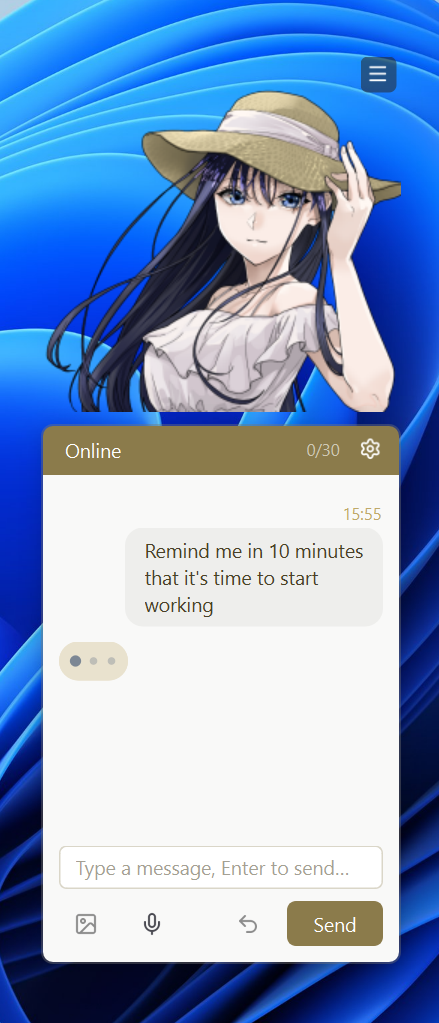
- Reminders. Say "remind me in half an hour" and they'll speak up when the time comes.
Quick start
- Unzip anywhere (not inside Program Files, since the app saves settings and memory next to the exe) and run
DesktopFamiliar.exe. - On first launch, follow the prompts to enter your API address, key, and model name.
- Set a character name and prompt, then start chatting.
Create your own character
- Close the app. Inside the
charfolder, create a new folder (any name, e.g.MyChar). - Add avatar images named as follows (png / webp / jpg all work):
- Required:
avatar - Optional:
avatar_blink(blinking),avatar_talking(speaking),avatar_hover(mouse hover),avatar_other,avatar_other2(idle)
- Required:
- Emotion images (
happy,sad,surprised,thinking,shy,angry) must come in pairs, for exampleavatar_happyandavatar_happy_talking. If either one is missing, that emotion is not used. - Launch the app and select your folder in the character picker.
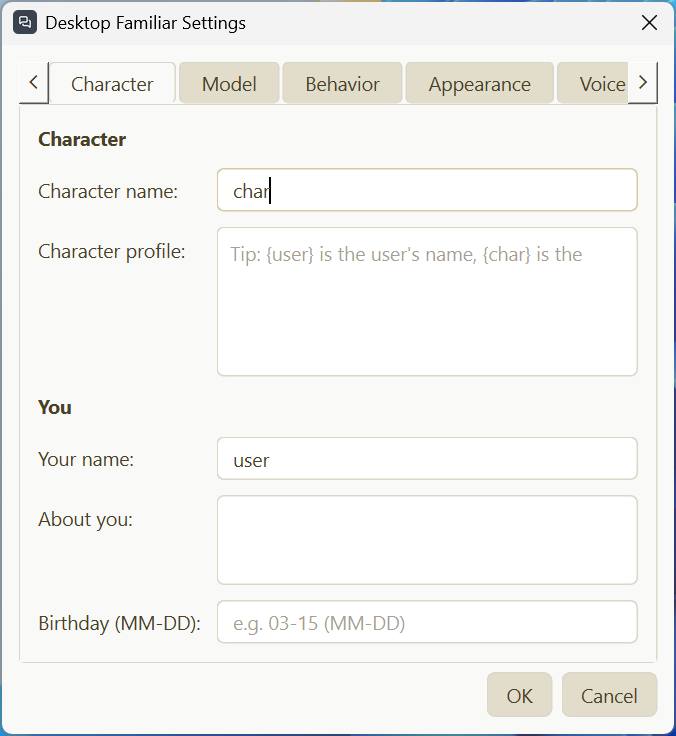
- The first time you pick it, a character setup window appears. Enter the character name, the character prompt (who they are and how they talk), your name, and a short description of yourself.
- You can switch characters at any time from the tray icon menu.
Each character's memory, schedule, and chat history are stored separately.
Privacy
Your messages, and your active window titles if that option is on, are sent to the LLM provider you choose. If you use an online voice service, the character's reply text is sent to that voice provider. If web search is on, your search queries are sent to Tavily. None of this is sent to me. Local speech recognition, your chat history, and memory all stay on your own computer, in folders next to the exe.
Notes
- Windows 10 or later.
- On the first launch each day, the app makes one extra model call to generate the daily schedule.
- The reminder feature requires a model that supports tool calling. If you see errors, turn it off in Settings.
- Feedback and bug reports are welcome in the comments.
Download
Install instructions
Before you start: you need your own API key from an OpenAI-compatible LLM provider (such as OpenRouter). It is not included.
- Unzip to any folder (not inside Program Files) and run
DesktopFamiliar.exe. - On first launch, enter your API address, key, and model name.
- Set a character name and prompt, then start chatting.
Leave a comment
Log in with itch.io to leave a comment.